Đôi khi khách hàng sẽ yêu cầu xem trạng thái đơn hàng và ETD/ETA, Freightek hỗ trợ mời khách hàng vào workspace để theo dõi các Shipment của họ.
FOWARDER GUILDE
Bước 1: Vào CRM > Chọn View 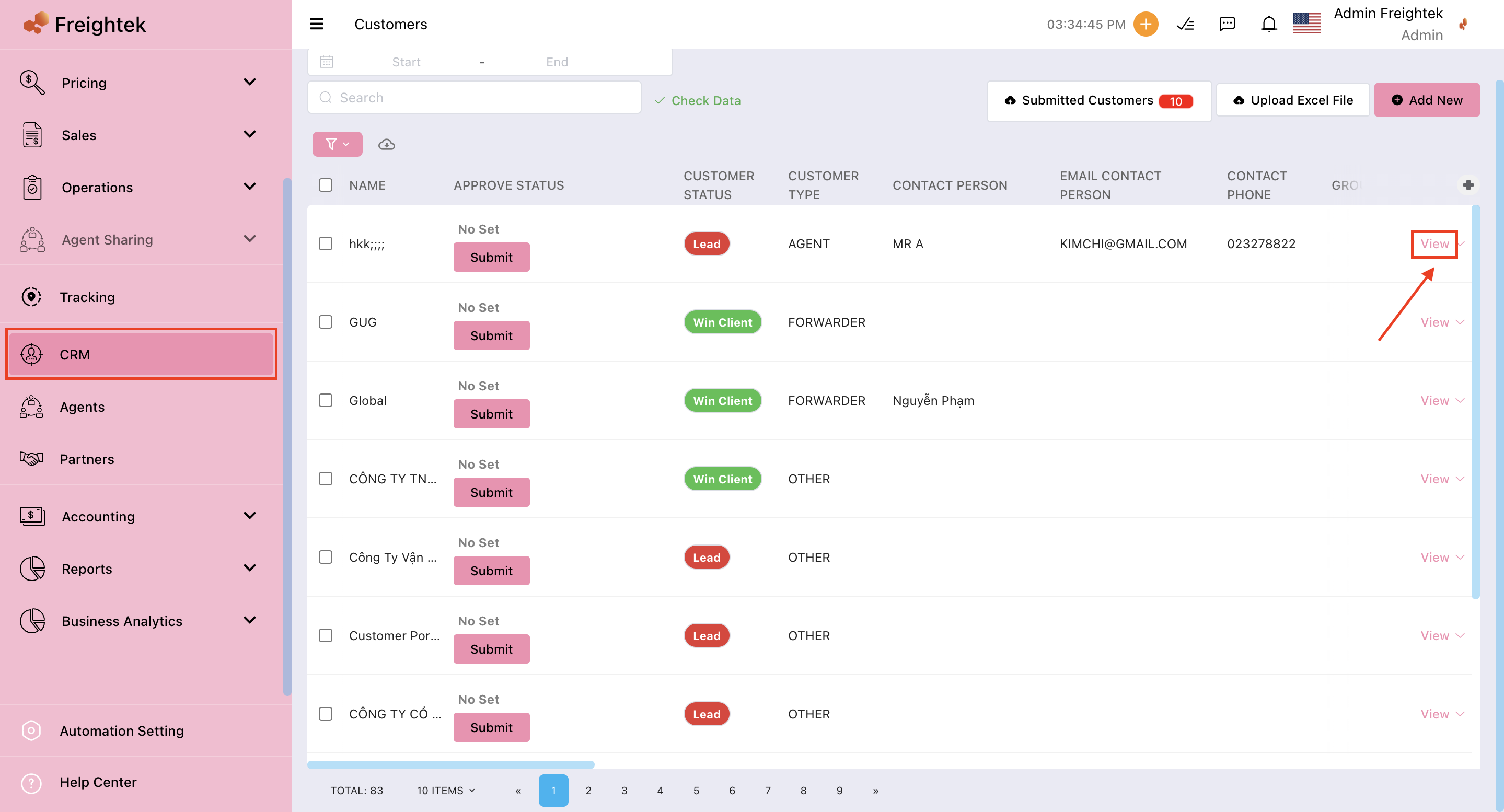
Bước 2: Nhập thông tin Email của khách hàng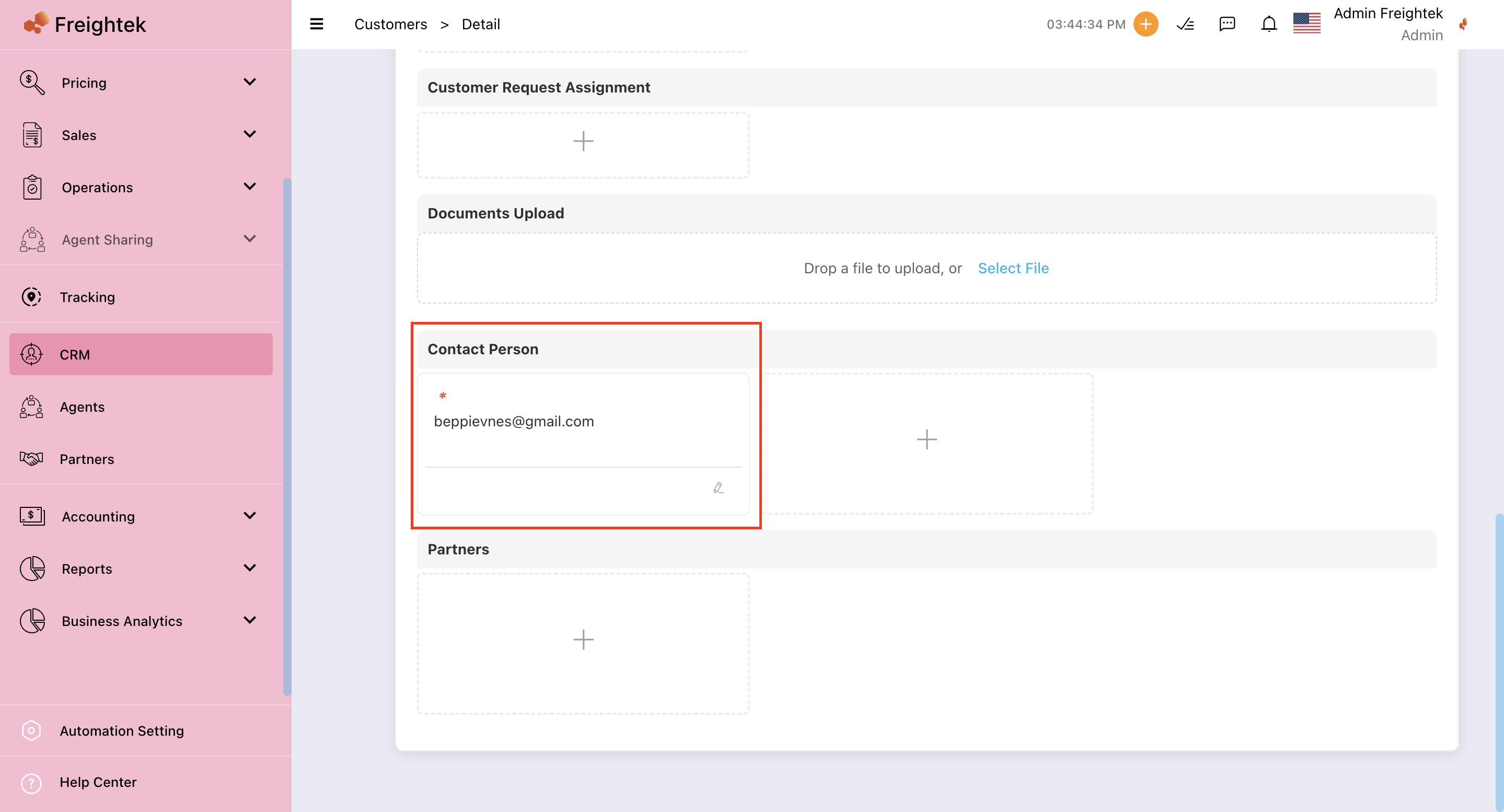
Bước 3: Quay lại CRM > Kéo sang cột Invitation Status > Chọn Resend Invitation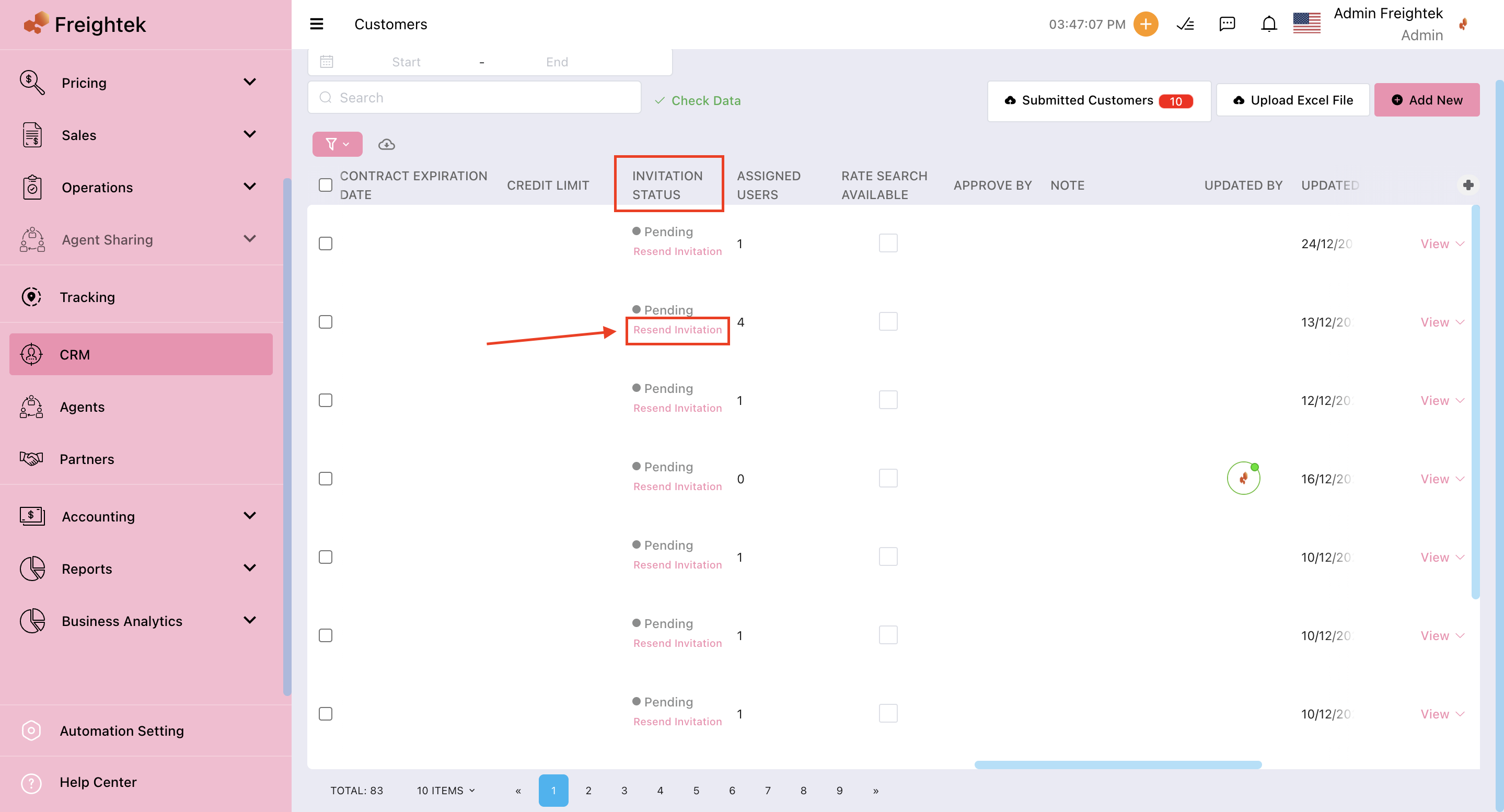
Sau đó hướng dẫn khách hàng vào Client Site để theo dõi Shipment.
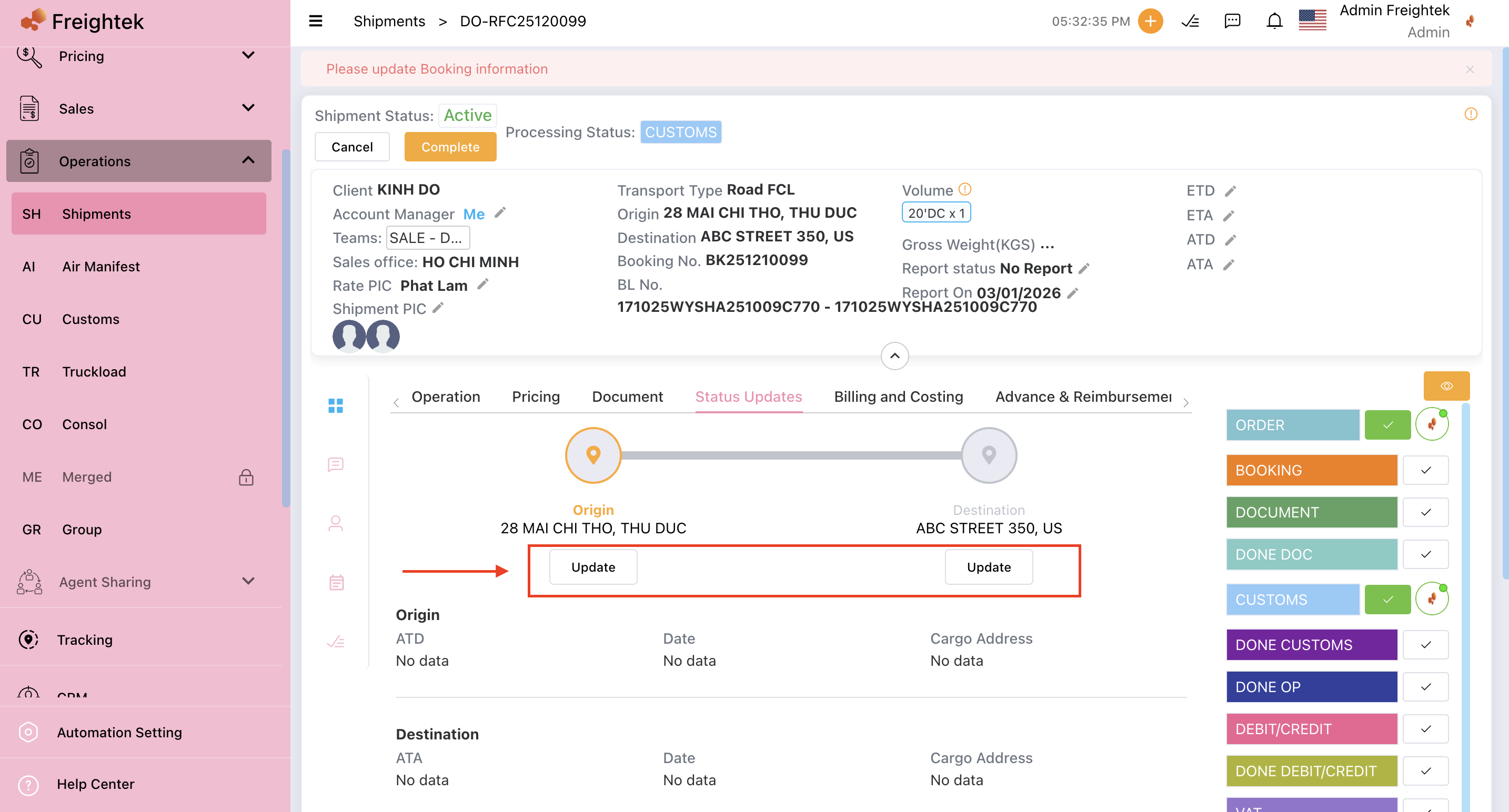
THAO TÁC CẬP NHẬT ĐƠN HÀNG (Status update):
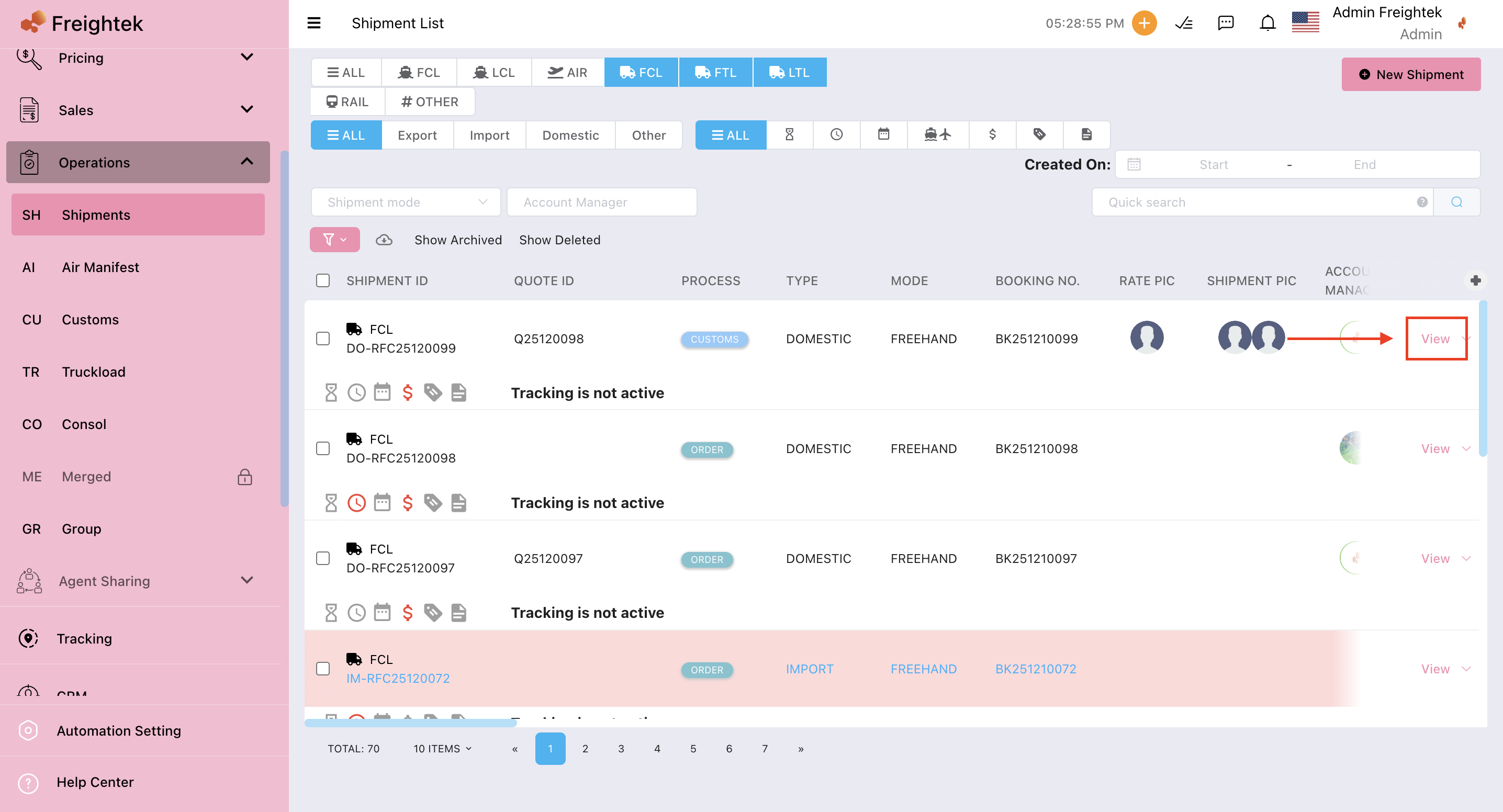
Bước 1: Vào Shipments > chọn View > Status Update
Was this article helpful?
That’s Great!
Thank you for your feedback
Sorry! We couldn't be helpful
Thank you for your feedback
Feedback sent
We appreciate your effort and will try to fix the article