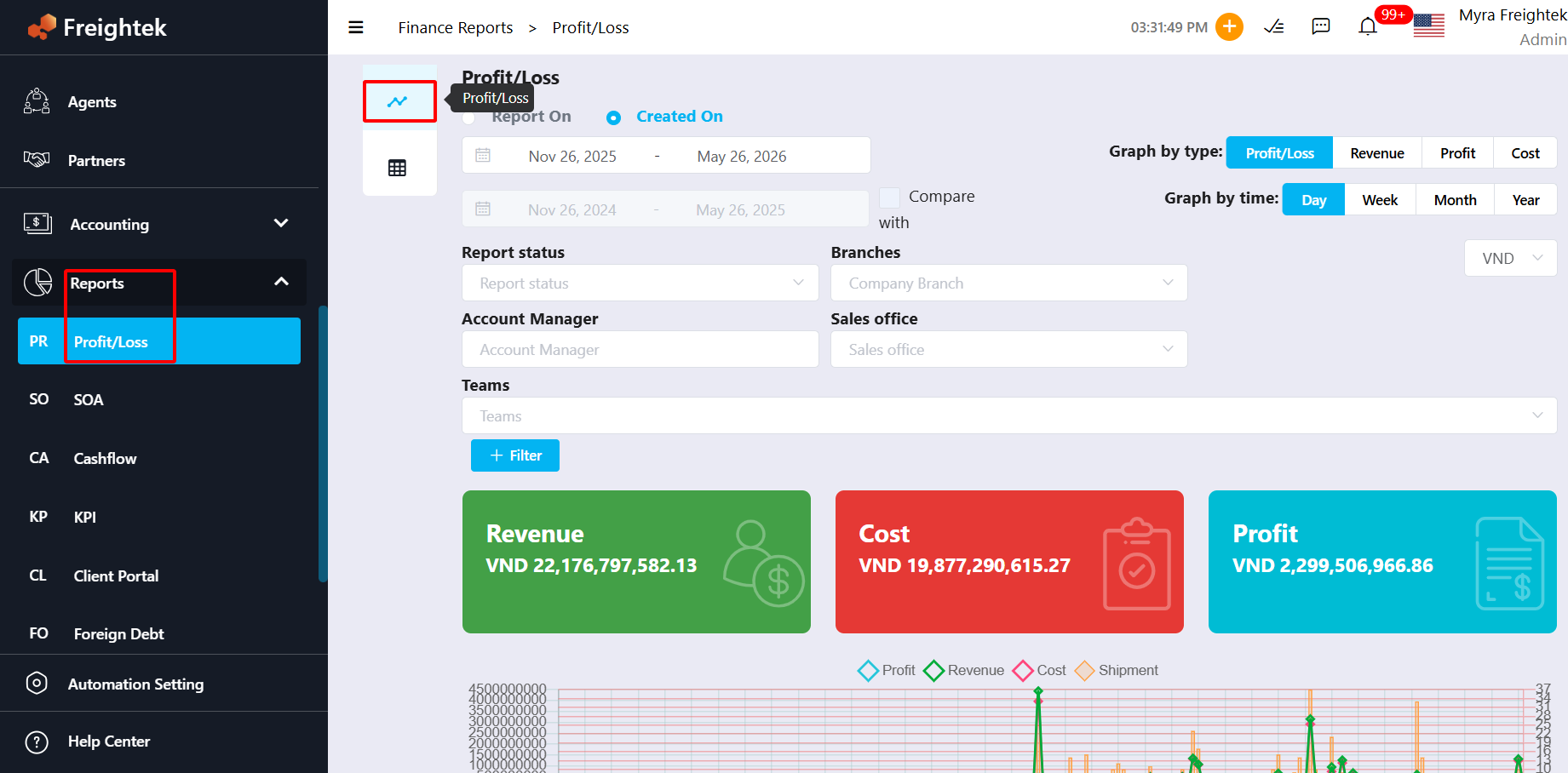
The Profit/Loss Report helps users review the financial performance of shipments by comparing Revenue, Cost, and Profit. The report can be filtered by different criteria and exported for further analysis.
From the left menu, go to:
Reports → Profit/Loss Report
The system will display the Profit/Loss Report screen.
1. Profit/Loss by Total & Graph
2. Profit/Loss by Shipment 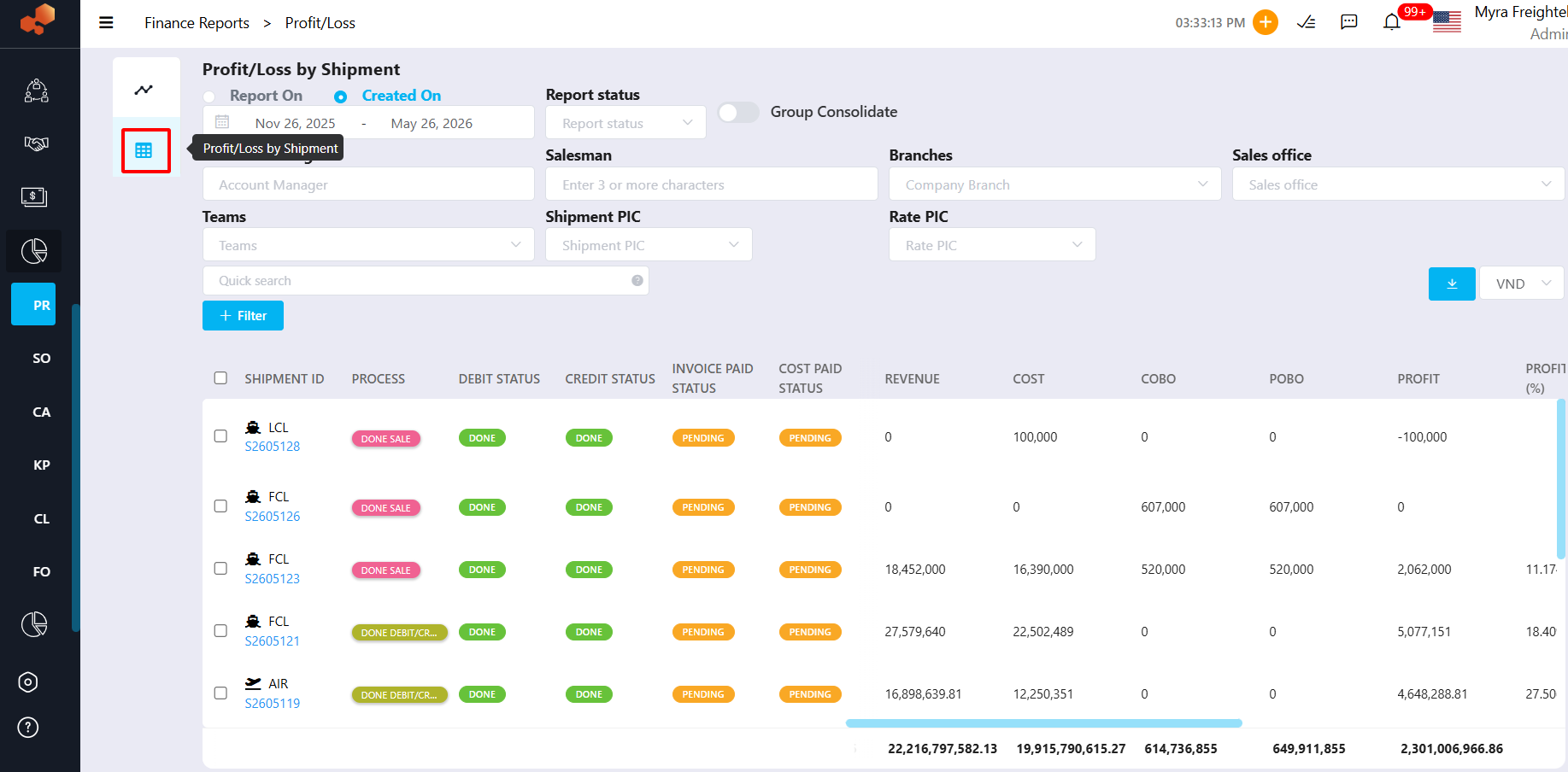
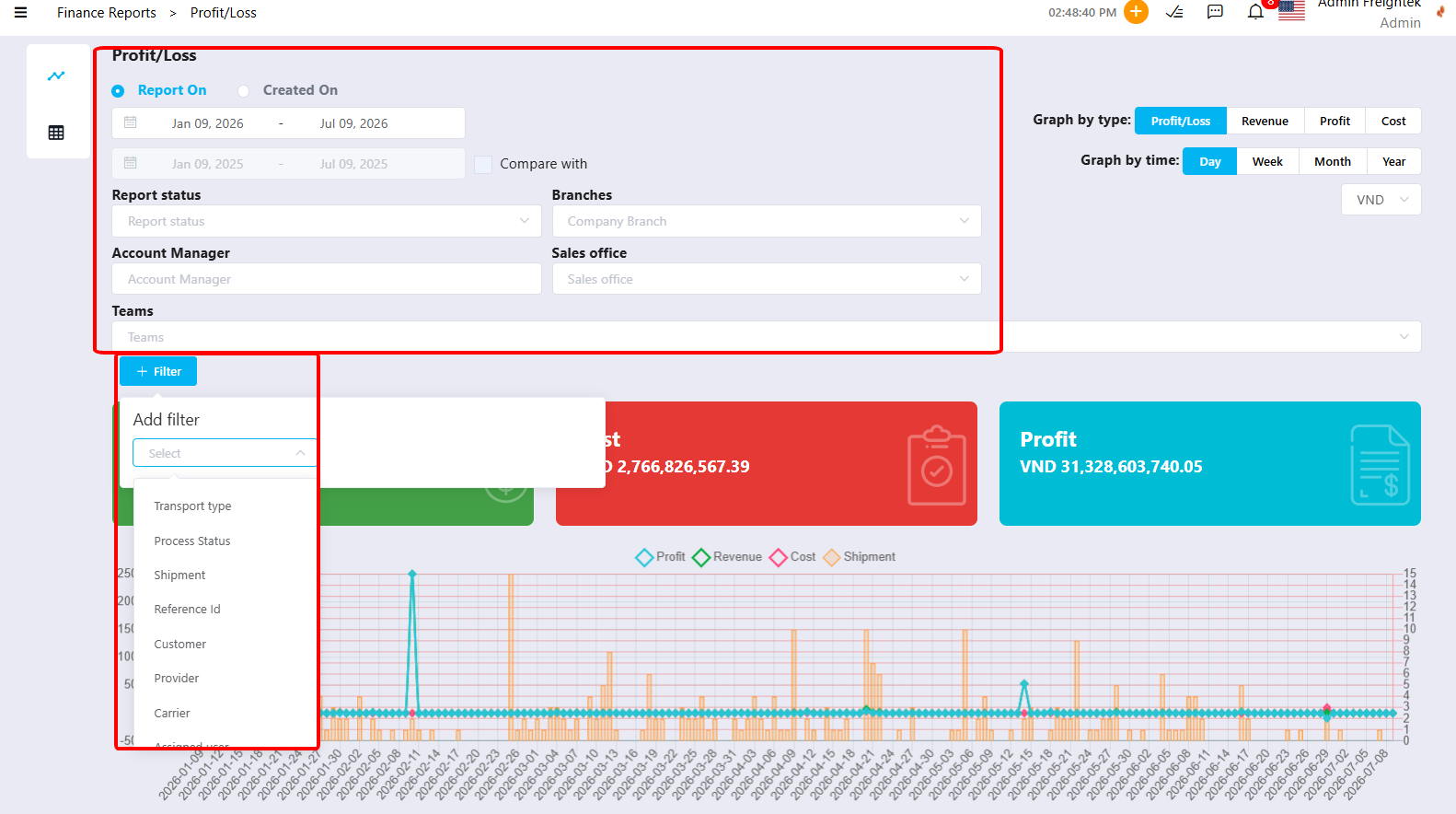
Filter the Report: Use the filter panel to search for the required data.
You can filter by:
- Branch
- Shipment Type
- Transportation Mode
- Date Range
- Sales Person
- Customer
- Carrier
- Agent
- Shipment Status
- Other available criteria
Select the Report Currency:
Choose the currency for the exported report from the Currency dropdown (e.g. USD, VND, etc.).
The system will convert and display all financial values using the selected currency.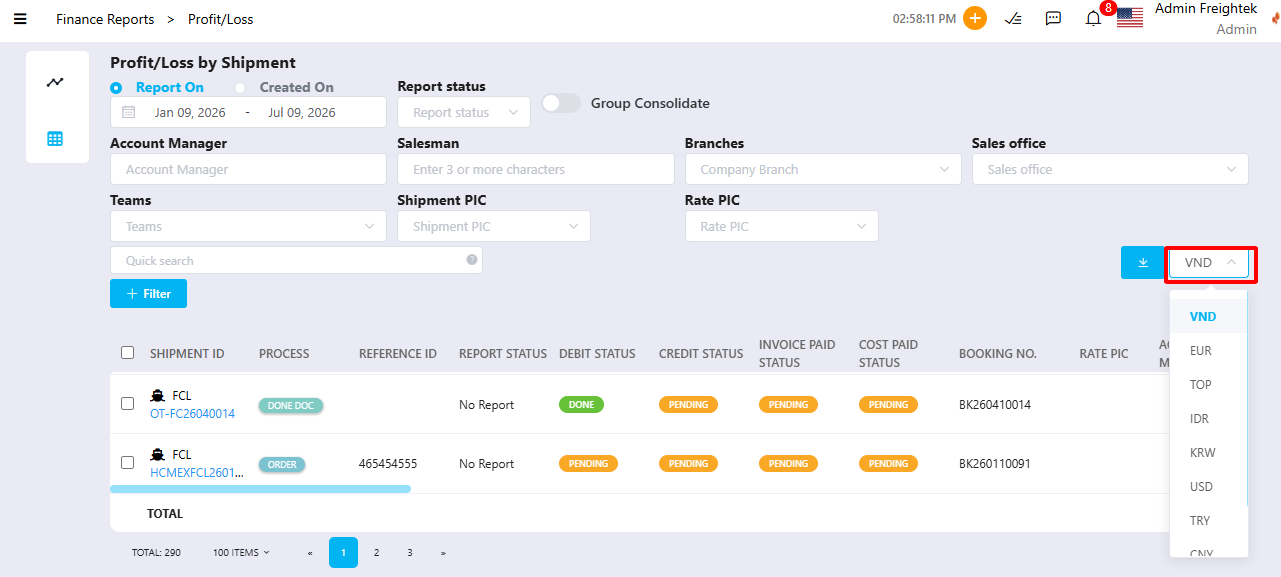
Download the Report
- Option 1: Report by Charges
Exports the report with detailed charges for each shipment, including every Revenue and Cost charge item.
- Option 2: Report by Charge Type(s)
Exports the report grouped by charge type, such as Ocean Freight, Local Charges, Trucking, etc.
- Option 3: Report by Total
Exports the report with total Revenue, Total Cost, and Total Profit/Loss for each shipment.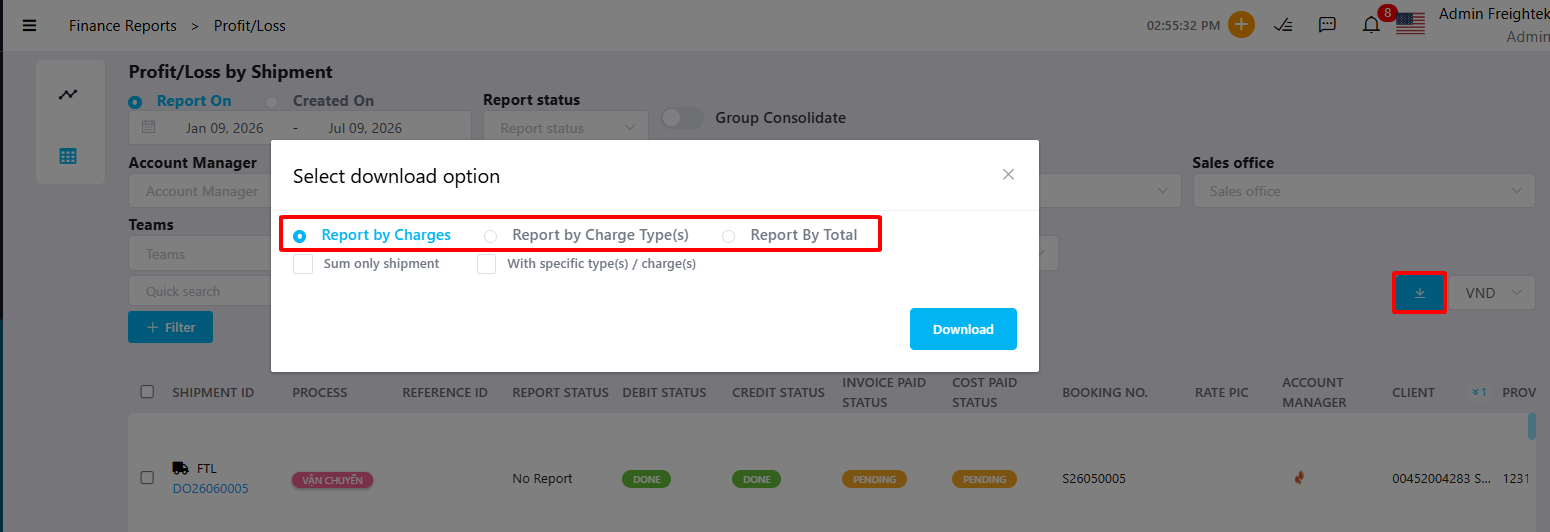
Was this article helpful?
That’s Great!
Thank you for your feedback
Sorry! We couldn't be helpful
Thank you for your feedback
Feedback sent
We appreciate your effort and will try to fix the article